Meta glasses, without the Meta AI app.
What it does
- Home
- Your pair in 3D, both batteries, storage and the latest photos.
- Gallery
- Photos and videos import over Wi-Fi while the glasses charge.
- Live view
- The camera on your phone. Record, replay, broadcast.
- Assistant
- "Hey Meta" answers with Claude or any OpenAI-compatible model.
- Notifications
- Messages on the glasses, with the names from your contacts.
- Settings
- Every setting the glasses have, the advanced ones too.
- Meta Ray-Ban Display
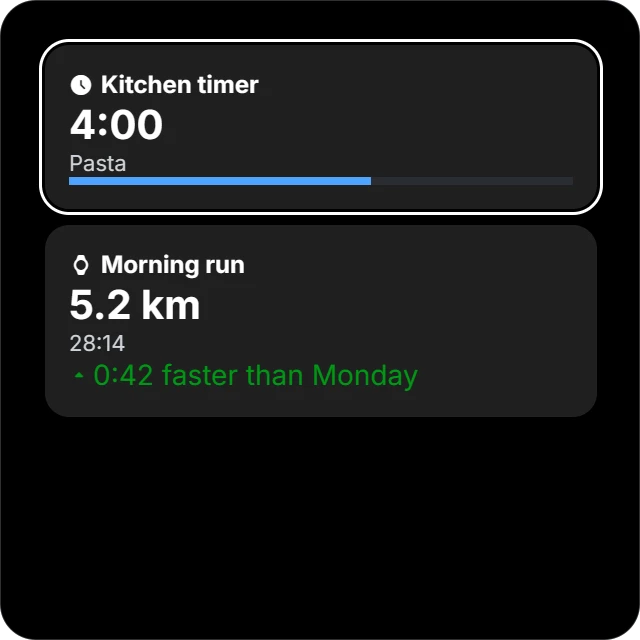
- Captions, translation, a teleprompter and your apps' cards.
- Neural Band
- Gestures and vibration, shared with the apps on your phone.
- More than one pair
- Every pair on one phone. Swipe between them.
No server. No analytics. No crash reports.
Every place Visor connects to
Metaaccounts.meta.com, api.accounts.meta.com, meta.graph.meta.com, ar.graph.meta.com, graph.facebook-hardware.com | During setup: the login, and the receipt that makes Visor the owner app of your glasses. |
|---|---|
Metaar-genai.graph.meta.com | Your pair's frame and lens colour, assistant language packs, and the Display's weather, sports and stocks. |
Metaar.graph.meta.com, graph.facebook.com, i.instagram.com | When you link a Facebook, Instagram or Threads account: its tokens, for the glasses. |
| Your model provider | Your question, with your own API key, when you ask the assistant. |
| Your RTMP server | The broadcast, when you go live from the Live view. |
OpenStreetMapnominatim.openstreetmap.org, routing.openstreetmap.de | Searches and routes for Maps on the Display. |
GitHubapi.github.com | Twice a day, to check for a new release. You can turn it off. |
Install
- 1Download the APK from the latest release.
- 2Check its SHA-256 against the
.sha256file beside it. - 3Install it. Android asks to allow installs from your browser.
- 4Open Visor and follow the setup.
Needs Android 12 or later, a Meta account for setup, and an API key for the assistant. The glasses take one session at a time, so Visor and the Meta AI app replace each other.
Release signing certificate
CN=Visor
SHA-256: F6:01:C7:FE:63:EF:04:E0:7F:66:8A:EC:BA:5A:2B:9C:
         23:90:C4:C0:22:B5:2B:5F:B0:F6:D3:04:22:7C:B9:C7
Build for the glasses
Your apps, scripts and AI agents, on the camera, the Display and the band.
Visor for developers